
![Generate a long-form SEO-optimized professional blog post (2000–2500 words) on 'How to configure VPS for asp.net core hosting?' specifically tailored for audiences in Europe and the USA. Target business decision-makers and IT professionals. Use high-ranking keywords from Google Trends and SEO tools. Return content strictly in CLEAN HTML (<h2>, <h3>, <p>, <ul>, <li>, <strong>). Do NOT use Markdown (#, ##, **). Structure: Introduction, in-depth main sections with subheadings, actionable insights, Conclusion with call-to-action. Insert [IMAGE: description] placeholders for images. Also return meta title (<60 chars), meta description (<160 chars), SEO keywords (comma-separated). Output must be STRICTLY JSON like: {](/images/48f3ae14-2302-48dd-b3af-1d32df5545ed.jpg) ...
......
" }" class="img-fluid mb-4" />Introduction
Running ASP.NET Core hosting on a VPS is a popular choice for organizations in Europe and the USA that want predictable performance, full server control, and the flexibility to meet compliance requirements such as GDPR, regional data residency, and internal security standards. Unlike shared hosting, a virtual private server gives you dedicated resources and the ability to configure the operating system, networking, and runtime stack specifically for your application.
This guide explains how to configure a VPS for ASP.NET Core hosting in a practical, production-ready way. It is written for business decision-makers evaluating hosting options and for IT professionals responsible for delivering secure, reliable environments. You will learn two common deployment paths—Linux VPS with Nginx (most common for cost/performance) and Windows VPS with IIS (often preferred in Microsoft-centric organizations)—plus security hardening, SSL/TLS, CI/CD, monitoring, backups, and performance tuning.
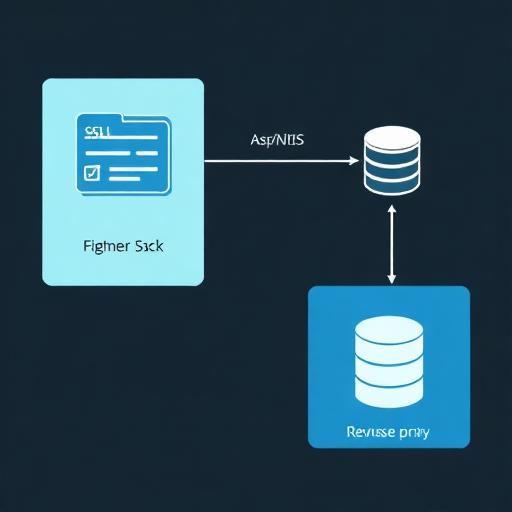
1) Choosing the Right VPS for ASP.NET Core Hosting (Europe & USA)
Before you configure anything, make sure the VPS matches your workload and compliance requirements. For audiences in Europe and the USA, selection usually comes down to latency, data location, security certifications, and scalability.
Key selection criteria for decision-makers
- Region and data residency: Choose a data center in the EU (e.g., Germany, Netherlands, Ireland, France) for EU user bases or GDPR-driven residency. Choose US East/West regions based on customer distribution and latency targets.
- CPU/RAM sizing: For many business apps, start with 2 vCPU / 4–8 GB RAM. API-heavy or background-processing workloads often need more CPU. Memory pressure is a common bottleneck for .NET apps with caching.
- Storage: Prefer NVMe SSD for faster I/O, especially for logging, file uploads, and caching layers. Separate block storage or managed database services can reduce risk.
- Network: Look for generous bandwidth, DDoS protection, and low-latency connectivity to your database and third-party services.
- Compliance and security: Ask about ISO 27001, SOC 2, and data processing agreements. For regulated industries, validate encryption-at-rest options and audit trails.
- Support and SLAs: 24/7 support and clear SLAs matter when the VPS hosts revenue-driving applications.
Linux vs. Windows VPS for ASP.NET Core
- Linux VPS (Ubuntu/Debian): Typically lower cost, excellent performance, popular for host ASP.NET Core on Linux using Nginx reverse proxy, systemd services, and Let’s Encrypt SSL.
- Windows VPS (Windows Server): Natural fit if your organization relies on IIS, Active Directory integration, Windows authentication, or legacy components. Common for IIS hosting ASP.NET Core.
2) Baseline VPS Setup: Provisioning, Access, and DNS
Whether you choose Linux or Windows, the foundation is the same: stable remote access, proper naming, and basic hygiene. These steps reduce operational risk and simplify deployment pipelines.
Provision the VPS and assign a static IP
Create a VPS instance with a static public IP address. Use a separate staging VPS if you need pre-production testing close to production conditions.
Set DNS records for your domain
- A record: Point app.yourdomain.com to the VPS IP.
- AAAA record: Add IPv6 if supported and required.
- TTL: Use a lower TTL during cutovers, then raise it after stabilization.
Establish secure access
- Linux: Use SSH keys, not passwords. Limit SSH to specific IPs where possible.
- Windows: Use RDP with strong credentials, enable Network Level Authentication, and restrict by firewall rules or VPN.

3) Configure a Linux VPS for ASP.NET Core Hosting (Recommended for Most)
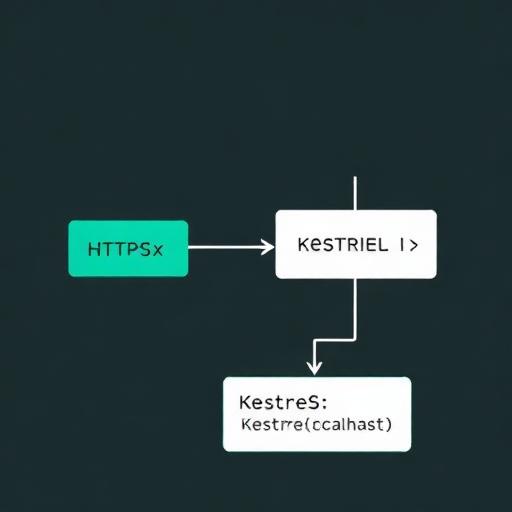
Linux is a common choice for modern .NET deployments due to strong performance, easy automation, and mature reverse proxy tooling. The most typical production architecture is: Nginx as the public-facing reverse proxy handling SSL and static assets, and Kestrel hosting the ASP.NET Core application internally.
Step 1: Update packages and create a deployment user
Keep the OS updated to minimize exposure. Create a non-root user for deployments and operations. Grant sudo privileges only when needed. This is a baseline expectation for Linux server hardening.
Step 2: Install the .NET runtime (or SDK if you build on the server)
Install the .NET runtime for hosting, and install the .NET SDK only if you compile on the server (many teams build in CI/CD and deploy artifacts). Ensure you standardize on an LTS version for production stability.
Step 3: Deploy your ASP.NET Core app
Common deployment options include:
- Framework-dependent deployment: Smaller artifacts, relies on server runtime.
- Self-contained deployment: Larger artifacts, includes runtime, simpler version management.
- Docker container: Strong isolation and portability, often preferred for consistent environments.
Step 4: Run ASP.NET Core as a systemd service
For reliable restarts and clean operations, run the application under systemd. A systemd unit provides:
- Auto-start on reboot
- Automatic restart on failure
- Centralized log access via journald
- Controlled environment variables for connection strings and secrets
Step 5: Install and configure Nginx reverse proxy
Nginx sits in front of Kestrel and handles:
- HTTPS termination (SSL/TLS)
- HTTP/2 support where appropriate
- Compression and caching for static content
- Request limits to protect against abuse
Recommended Nginx configuration considerations
- Proxy headers: Forward X-Forwarded-For and X-Forwarded-Proto so ASP.NET Core can generate correct URLs and logs.
- Timeouts: Align Nginx timeouts with application timeouts, especially for long-running requests (prefer moving long tasks to background jobs).
- Static content: Serve wwwroot directly via Nginx when beneficial.
- Security headers: Add HSTS, X-Content-Type-Options, and a reasonable Content-Security-Policy where possible.
4) Configure a Windows VPS for ASP.NET Core Hosting with IIS
For enterprises with Microsoft-centric infrastructure, Windows Server plus IIS is a straightforward approach. IIS acts as the reverse proxy using the ASP.NET Core Module (ANCM) to host your app.
Step 1: Install IIS and required components
Enable IIS features for hosting .NET applications and install the .NET Hosting Bundle that includes the runtime, IIS integration, and ANCM.
Step 2: Configure an IIS site and application pool
- Application pool: Use “No Managed Code” for ASP.NET Core (since it runs out-of-process by default).
- Identity: Use a least-privileged identity and grant only needed permissions to the app directory.
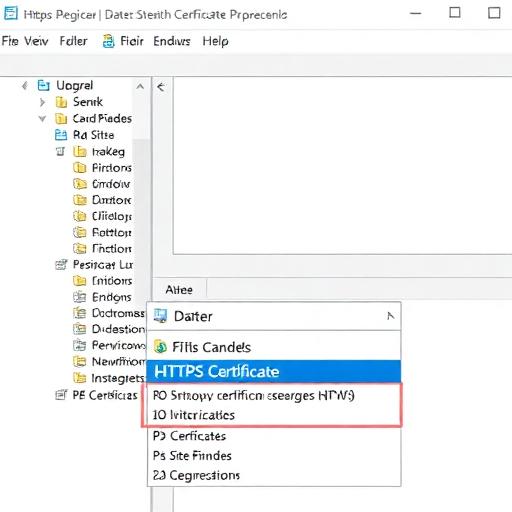
- Bindings: Bind the site to your domain and configure HTTPS with a valid certificate.
Step 3: Deploy and verify
Deploy the published output to the IIS site directory. Ensure configuration files and environment variables are set properly. Confirm logs and event viewer entries for startup issues, which are common in early deployments.
5) Security Hardening Checklist (Essential for Production)
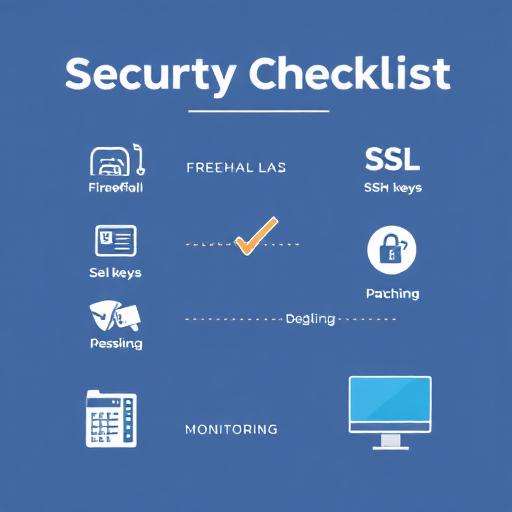
Security configuration is a critical part of VPS hosting for .NET—especially for customer-facing apps in the USA and Europe. The goal is to reduce the attack surface while ensuring operations remain maintainable.
Network security: firewall rules and exposed ports
- Allow: 80 (HTTP) and 443 (HTTPS) to the public.
- Restrict: SSH (22) or RDP (3389) to trusted IPs, a bastion host, or a VPN.
- Block: Any database ports from public access (e.g., 5432/3306/1433). Use private networking whenever possible.
SSH hardening (Linux)
- Disable password authentication where possible
- Disable root login
- Use modern key types and rotate keys periodically
- Change default port only if it fits your policy (not a primary control)
Brute force protection
Tools like fail2ban help block repeated login attempts on Linux. On Windows, enforce account lockout policies and use a firewall/EDR strategy aligned with your security program.
Patch management and vulnerability hygiene
- Enable automatic security updates where feasible
- Track your .NET and OS versions (LTS policy)
- Schedule monthly patch windows and emergency patch procedures
Secrets management
Avoid storing credentials in source code or in plain text on the VPS. Prefer environment variables, secret managers, or encrypted configuration. For decision-makers, this reduces breach risk and supports auditability.
6) Configure SSL/TLS (HTTPS) Correctly
HTTPS is non-negotiable for production. For most teams, Let’s Encrypt SSL is the fastest path to secure certificates with automated renewals. Businesses with strict compliance may use commercial certificates and centralized certificate management.
Linux + Nginx: Let’s Encrypt recommended approach
- Validate domain ownership via HTTP-01 challenge
- Install certificates and enable redirect from HTTP to HTTPS
- Automate renewal and test renewals regularly
Windows + IIS: certificate installation
- Import certificate to the Windows certificate store
- Bind the certificate to the IIS site over 443
- Enforce strong TLS protocols and ciphers based on your organization’s baseline
Security headers and best practices
- HSTS: Enforce HTTPS with an appropriate max-age
- OCSP stapling: Improves TLS performance
- HTTP/2: Generally beneficial for web apps
7) Deployment Strategies: Manual, CI/CD, and Zero-Downtime Options
Business stakeholders care about release velocity and reliability. IT professionals care about repeatability, audit trails, and rollback. Choose a deployment strategy that supports both.
Option A: Manual deployment (quick start, not ideal long-term)
Copy artifacts to the server and restart the service. This can work for early-stage prototypes but increases operational risk and human error as you scale.
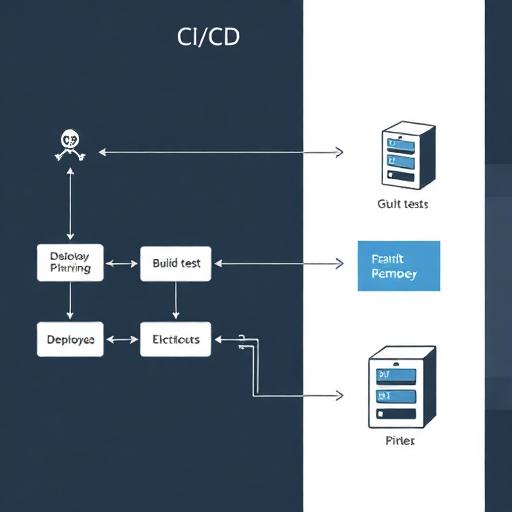
Option B: CI/CD with GitHub Actions or Azure DevOps (recommended)
For many teams, GitHub Actions deployment or Azure DevOps pipeline provides controlled releases:
- Build and test on every commit
- Publish versioned artifacts
- Deploy to staging then production with approvals
- Store secrets securely (OIDC, secret vaults)
Option C: Blue-green or rolling deployment
For customer-facing applications with uptime requirements, use a strategy that supports near zero downtime deployment:
- Blue-green: Run two versions and switch traffic.
- Rolling: Update instances sequentially (more common with multiple servers or containers).
- Reverse proxy switching: Use Nginx upstream changes to redirect traffic to a new port/app version.
Rollback planning
Rollback is a feature. Maintain versioned releases and a predictable way to revert configuration changes. Ensure database migrations are forward-compatible where possible, or implement migration rollbacks for critical changes.
8) Performance Tuning for ASP.NET Core on a VPS
Performance on a VPS depends on CPU contention, memory, disk I/O, and network latency. The goal is to deliver consistent response times for customers in Europe and the USA while controlling cost.
Reverse proxy optimization
- Enable gzip or Brotli compression for text assets
- Cache static files and set appropriate cache-control headers
- Limit request body sizes for upload endpoints
Application-level tuning
- Environment: Ensure Production environment is set for optimized behavior.
- Connection pooling: Use efficient database client settings and avoid creating excessive connections.
- Async best practices: Avoid blocking calls and optimize hot paths.
- Caching: Add memory caching or distributed caching (e.g., Redis) for frequently accessed data.
Database placement considerations
A common anti-pattern is running your production database on the same VPS as the app. For reliability and performance, many organizations use a managed database service or a separate VPS. This reduces blast radius and improves scalability.
Scaling strategy: vertical vs. horizontal
- Vertical scaling: Increase VPS size for quick gains (more CPU/RAM).
- Horizontal scaling: Add multiple app servers behind a load balancer for higher availability and capacity.
9) Monitoring, Logging, and Alerting (What Ops Teams Need)
Strong monitoring reduces downtime and helps meet internal SLAs. For business leaders, it protects revenue and customer trust. For IT, it shortens incident response times.
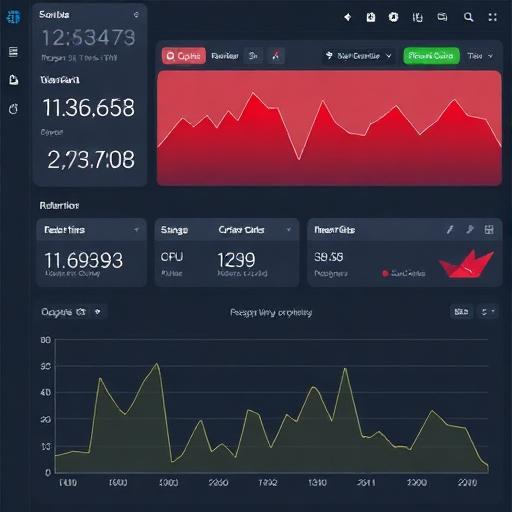
What to monitor
- Infrastructure: CPU, RAM, disk, swap, network throughput
- App health: HTTP error rate, response time, throughput, dependency latency
- Security signals: Suspicious login attempts, firewall blocks, unexpected outbound traffic
Logging best practices
- Centralize logs (avoid relying on local disk only)
- Use structured logging (JSON) for better searching and analytics
- Rotate logs and define retention aligned with compliance policies
Alerting that reduces noise
Alerts should be actionable. Common effective alerts include:
- High 5xx rate over 5–10 minutes
- CPU saturation sustained
- Low disk space (especially if logs grow unexpectedly)
- SSL certificate renewal failures
10) Backups, Disaster Recovery, and Business Continuity
A VPS is not a backup. Your plan should cover both the application server and the data layer, with a focus on recovery time objectives (RTO) and recovery point objectives (RPO).
Backup scope
- Application artifacts: Can be rebuilt from CI/CD, but store releases to accelerate recovery.
- Configuration: Infrastructure-as-code or documented server configuration is essential.
- Database backups: Automate backups and test restores regularly.
- File uploads: Store on external object storage when possible to simplify scaling and recovery.
Disaster recovery practical approach
- Maintain a documented rebuild procedure for the VPS
- Keep off-site backups in another region (EU-to-EU or US-to-US depending on policy)
- Run periodic restore drills to validate the process
11) Compliance Notes for Europe and the USA
Hosting decisions often involve regulatory and contractual requirements. While this article is not legal advice, these are common considerations for European and US organizations running ASP.NET Core on a VPS.
Europe: GDPR and data processing
- Choose an EU region if your policy requires EU data residency
- Ensure you have a Data Processing Agreement (DPA) with vendors
- Define data retention and deletion policies
USA: security frameworks and customer expectations
- Many B2B buyers require SOC 2-aligned controls (access control, logging, change management)
- Encrypt data in transit (TLS) and consider encryption at rest where applicable
- Maintain incident response and patch management procedures
12) Common Pitfalls When Hosting ASP.NET Core on a VPS
Teams often run into predictable issues during their first production rollout. Avoiding them improves uptime and reduces time-to-value.
Pitfall 1: Exposing Kestrel directly to the internet
Kestrel is a powerful web server, but production deployments typically place it behind Nginx or IIS for robust reverse proxy capabilities, TLS termination, and traffic handling.
Pitfall 2: Treating the VPS as “set and forget”
Without patching, monitoring, and log management, small issues become incidents. Use automation for updates, renewals, and deployments.
Pitfall 3: Storing secrets in configuration files on disk
Use secret stores, environment variables, and role-based access control. This is especially important for organizations managing multiple environments and teams.
Pitfall 4: No tested restore process
Backups are only as valuable as your ability to restore quickly. Test restores as part of regular operations.
Conclusion: A Production-Ready VPS Setup for ASP.NET Core
To configure a VPS for ASP.NET Core hosting in a production-ready way, focus on the full lifecycle: choose the right region for Europe/USA latency and compliance, harden the server, deploy using repeatable CI/CD, protect traffic with SSL/TLS, and implement monitoring, backups, and rollback strategies. For most organizations, a Linux VPS with Nginx reverse proxy and systemd-managed services provides a high-performance, cost-effective baseline. For Microsoft-first enterprises, Windows VPS with IIS remains an excellent choice with strong operational familiarity.
If your team wants a faster, safer path to production, we can help you design and implement a secure, scalable hosting architecture for ASP.NET Core—covering VPS provisioning, hardening, SSL, CI/CD automation, monitoring, and compliance-aligned operations. Contact us to review your current deployment approach and get a tailored VPS hosting plan for your application.