
Introduction
Hosting an ASP.NET Core application on a VPS (Virtual Private Server) gives you a strong balance of performance, control, and cost—especially for growing businesses and IT teams in Europe and the USA that need predictable latency, compliance-friendly data residency options, and infrastructure flexibility. Compared with shared hosting, a VPS offers dedicated resources and root/administrator access. Compared with fully managed platforms, it provides deeper configurability and long-term cost efficiency for stable workloads.
This guide explains how to configure a VPS for ASP.NET Core hosting using two production-proven approaches: Linux (Ubuntu + Nginx + Kestrel + systemd) and Windows Server (IIS). It is written for business decision-makers and IT professionals who care about secure defaults, operational clarity, and performance. You will find actionable steps for provisioning, hardening, deployment, SSL, monitoring, and scaling—along with decision points that help you choose the right path for your organization.
1) Choosing the Right VPS for ASP.NET Core in Europe and the USA
Your hosting experience and costs depend heavily on correct sizing and region selection. Before you configure anything, align infrastructure choices with business and technical requirements.
Recommended VPS specs (baseline to production)
- Proof of concept / low traffic: 1 vCPU, 1–2 GB RAM, 30–50 GB SSD
- Typical SMB production: 2 vCPU, 4 GB RAM, 80+ GB SSD
- High traffic / API heavy: 4+ vCPU, 8–16 GB RAM, NVMe storage
- Database on the same VPS (not ideal long-term): add RAM first (8–16 GB) and fast storage
Region, latency, and data residency
For audiences in the USA, select VPS regions like East/West coast depending on user distribution. In Europe, central hubs (e.g., Frankfurt, Amsterdam, London, Paris) often provide strong connectivity. If you have compliance obligations (GDPR, sector-specific rules), consider hosting within the same region as your primary users and data stores.
Linux vs Windows VPS for ASP.NET Core hosting
- Linux VPS (Ubuntu/Debian): typically lower cost, excellent performance for ASP.NET Core, ideal for Nginx reverse proxy, containers, and modern DevOps workflows.
- Windows Server VPS: best for organizations standardized on Windows tooling, Active Directory integration, and teams comfortable with IIS management.
What business decision-makers should standardize upfront
- Environment strategy: dev/test/staging/prod separation
- Backup requirements: RPO/RTO targets and retention
- Security baseline: MFA, least privilege, patch windows
- Operations model: who owns OS updates, monitoring, and incident response
2) Provisioning Your VPS: Initial Setup Checklist
Regardless of OS, start with a clean, repeatable provisioning process to minimize drift and improve security posture.
Core provisioning steps
- Select OS image: Ubuntu LTS (recommended for Linux) or Windows Server 2022 (common for IIS).
- Set hostnames and DNS: plan for app.yourdomain.com and possibly api.yourdomain.com.
- Enable automated backups: snapshot schedule plus offsite backup (if available).
- Plan static IP: ensure your VPS IP won’t change unexpectedly.
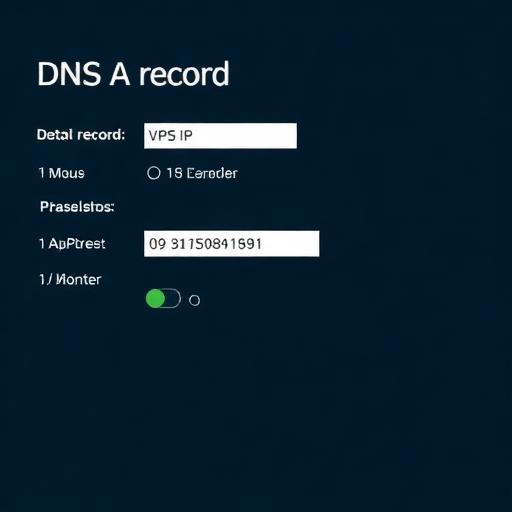
DNS records for production hosting
- A record: point your domain/subdomain to the VPS public IP.
- AAAA record: if using IPv6 (recommended where possible).
- TTL: keep low during initial setup (e.g., 300 seconds), increase later.
3) Secure Your VPS First (Linux and Windows)
Security hardening is not optional. ASP.NET Core is secure by design, but your hosting environment must be configured to reduce attack surface, enforce least privilege, and provide auditability.
Security essentials for any VPS
- Use SSH keys (Linux) or strong RDP policies (Windows): avoid password-only access.
- Enable MFA: for your VPS provider console and source control.
- Patch cadence: establish automatic security updates or monthly patch windows.
- Principle of least privilege: separate admin accounts from deployment/service accounts.
- Logging and audit: keep system and application logs, and ensure they are rotated.
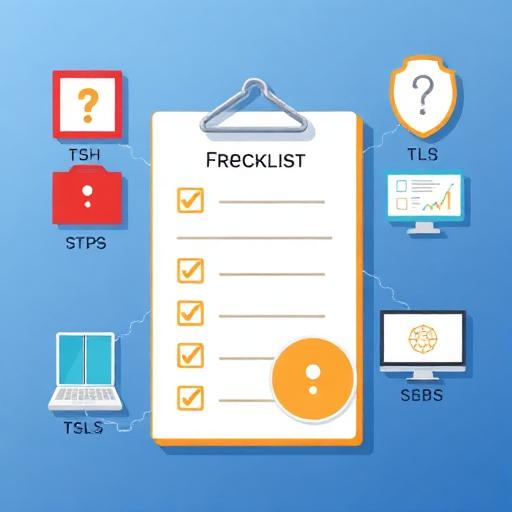
Linux hardening checklist (Ubuntu)
- Create a non-root user with sudo privileges; disable direct root SSH login.
- Disable password SSH authentication after confirming key-based login works.
- Configure firewall to allow only required ports (typically 22, 80, 443).
- Install intrusion prevention (e.g., fail2ban) to block brute-force attempts.
Windows hardening checklist (Windows Server)
- Restrict RDP: allow RDP only from trusted IPs via firewall rules or a VPN.
- Use Network Level Authentication (NLA) and strong password policies.
- Install security updates and configure Windows Defender or endpoint protection.
- Use IIS request filtering and remove unused Windows roles/features.
4) Configure ASP.NET Core Hosting on a Linux VPS (Ubuntu + Nginx)
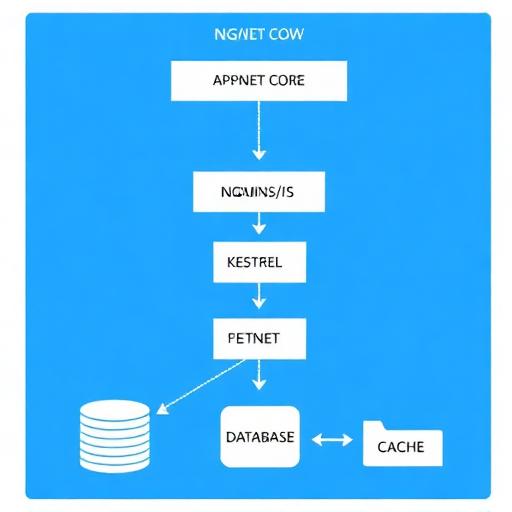
For many Europe/USA teams, Linux is the most cost-efficient way to host ASP.NET Core. The typical production pattern is Nginx as a reverse proxy in front of Kestrel, with the app running as a systemd service.
Step 1: Install .NET runtime (or SDK) on Ubuntu
For production, install the .NET runtime unless you need build tooling on the server. If you prefer immutable deployments, publish your app as self-contained, but many teams use the official runtime packages for patching convenience.
- Choose the correct .NET version: align with your application’s target framework (e.g., .NET 8 LTS).
- Verify installation: ensure the runtime is available for the service user.
Step 2: Create a dedicated app user and directory
Run the app under a dedicated non-root user. This limits blast radius if a process is compromised.
- Directory convention: /var/www/yourapp
- Ownership: user/group ownership for deployments and logs
- Permissions: avoid 777; prefer least privilege
Step 3: Publish your ASP.NET Core app for Linux
From your CI pipeline or local machine, publish using Release mode. Common patterns include:
- Framework-dependent deployment: smaller output, requires runtime installed on server.
- Self-contained deployment: larger output, includes runtime, reduces server dependency.
Step 4: Configure systemd to run ASP.NET Core as a service
systemd ensures your application starts on boot, restarts on failure, and centralizes logs. A typical service definition includes:
- Description and dependencies: start after network is ready
- User/Group: run under the dedicated app user
- WorkingDirectory: your publish folder
- ExecStart: dotnet YourApp.dll (or your self-contained binary)
- Restart policy: on-failure with delay
- Environment variables: ASPNETCORE_ENVIRONMENT, connection strings via secure mechanisms
Step 5: Configure Nginx as a reverse proxy
Nginx handles incoming HTTP(S) traffic, TLS termination, compression, and request buffering. It forwards requests to Kestrel on a local port (e.g., 5000/5001). Key Nginx considerations for ASP.NET Core hosting:
- Proxy headers: forward Host, X-Forwarded-For, X-Forwarded-Proto
- WebSockets: enable upgrade headers if using SignalR
- Client max body size: adjust for file uploads
- Timeouts: tune for long-running requests (or redesign to background jobs)
Step 6: Open firewall ports safely
On Linux, allow inbound 80/443 for web traffic and restrict SSH (22) to trusted IPs if possible. Do not expose Kestrel’s internal port publicly.
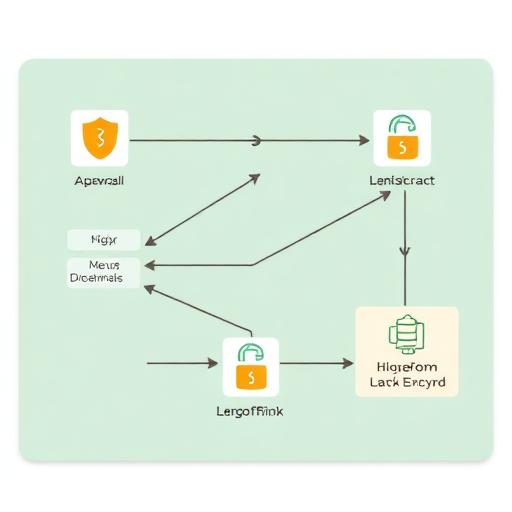
Step 7: Configure HTTPS with Let’s Encrypt
For most public-facing business applications, HTTPS is mandatory for user trust and compliance. Let’s Encrypt provides free certificates with automated renewal. Best practices include:
- Force HTTP to HTTPS redirect
- Use modern TLS settings (disable legacy protocols where possible)
- Enable HSTS after validation (be careful with preload and subdomains)
Step 8: Production configuration for ASP.NET Core behind a proxy
When running behind Nginx, ensure the app correctly handles forwarded headers and generates correct absolute URLs. Typical items to validate:
- Forwarded headers middleware for scheme/remote IP
- Cookie security: Secure, SameSite policies
- Data Protection keys: persist keys (especially if you scale to multiple servers)
5) Configure ASP.NET Core Hosting on a Windows VPS (IIS)
If your organization prefers a Microsoft-first stack, a Windows Server VPS with IIS is a straightforward way to host ASP.NET Core. It can simplify operations for teams used to Windows administration, Group Policy, and GUI-based management.
Step 1: Install required Windows roles and .NET Hosting Bundle
On Windows, the recommended approach is:
- Install IIS (Web Server role)
- Install the ASP.NET Core Hosting Bundle for your target .NET version (enables the ASP.NET Core Module)
- Restart IIS after installation
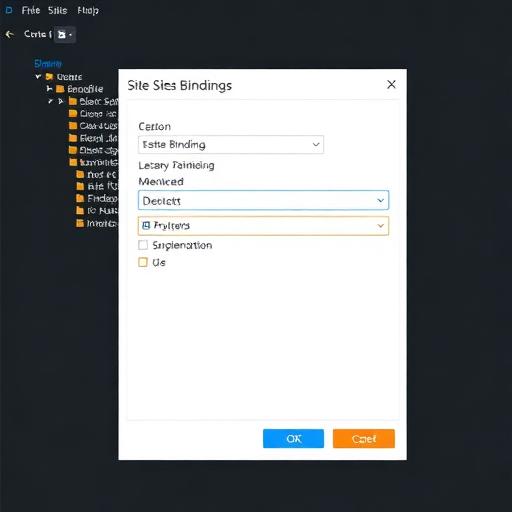
Step 2: Create an IIS site and application pool
- Site binding: bind to your domain on port 80/443
- Application pool: use “No Managed Code” (ASP.NET Core runs via the module)
- Identity: run under a least-privileged identity; grant file permissions only to required folders
Step 3: Deploy the application
You can deploy by copying published output to the server, using Web Deploy, or via CI/CD. Best practice for business workloads:
- Immutable deployments: versioned folders and quick rollback
- Configuration separation: keep secrets out of web.config and source control
- Log strategy: ensure logs are accessible but protected
Step 4: Configure HTTPS on IIS
Use a certificate from a trusted CA or Let’s Encrypt via compatible Windows tooling. Configure:
- TLS binding on 443
- HTTP to HTTPS redirect
- Strong cipher suites (align with organizational security policies)
Step 5: Windows Firewall and RDP controls
Open only required ports (80/443; 3389 only if needed and restricted). If possible, use a VPN or bastion host for administrative access.
6) Deployment Workflows: Manual, CI/CD, and Zero-Downtime Patterns
How you deploy influences uptime, security, and operational effort. For business-critical applications, minimize manual server access and standardize deployments.
Option A: Manual deployment (acceptable for early-stage)
- Linux: SCP/rsync the publish output, restart systemd service
- Windows: copy files to IIS folder, recycle app pool
Limitations: higher risk of human error, inconsistent rollbacks, weaker audit trails.
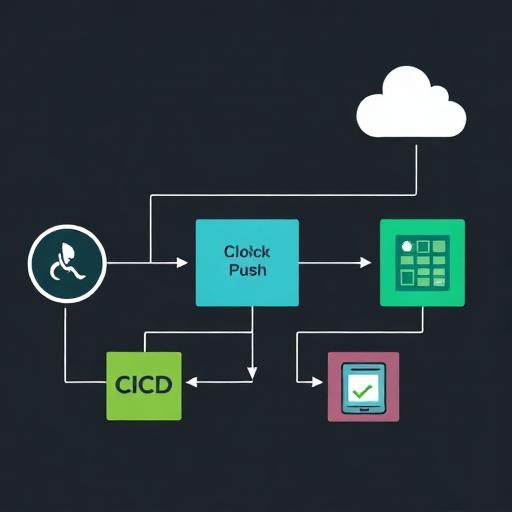
Option B: CI/CD with GitHub Actions or Azure DevOps
CI/CD is a common request from IT teams in the USA and Europe looking to reduce deployment risk and meet compliance/audit needs. Typical pipeline stages:
- Build: compile and run unit tests
- Security checks: dependency scanning, secret scanning
- Publish artifact: store build output
- Deploy: push to VPS via SSH (Linux) or WinRM/Web Deploy (Windows)
- Smoke test: verify health endpoints
Zero-downtime or low-downtime deployment patterns
- Blue/green folders: deploy to a new folder and switch Nginx upstream or IIS site path
- Reverse proxy switching: update Nginx config and reload
- Health checks: only route traffic to healthy instances
7) Database, Caching, and External Dependencies
Most ASP.NET Core applications rely on a database, cache, and third-party services. Hosting decisions here affect performance and operational overhead.
Database placement: same VPS vs managed database
- Same VPS: simpler and cheaper initially, but can become a bottleneck and increases blast radius.
- Managed database: improved reliability, backups, patching, and scaling; often preferred for production.
Common choices for ASP.NET Core stacks
- SQL Server (Windows or Linux)
- PostgreSQL (popular on Linux)
- Redis for caching and session storage
Configuration best practices
- Use environment variables or secure secret stores for connection strings
- Enable connection pooling (default behavior in many providers, but validate settings)
- Time-out policies: set sane DB timeouts to prevent thread starvation
8) Performance Tuning for ASP.NET Core on a VPS
Performance tuning is about eliminating obvious bottlenecks first: CPU saturation, memory pressure, slow disk, and inefficient request handling. A VPS can deliver excellent results when tuned properly.
Reverse proxy optimization (Nginx/IIS)
- Enable gzip or Brotli where appropriate
- Cache static content with correct cache headers
- HTTP/2 and HTTP/3 readiness: consider based on client mix and proxy support
Kestrel and app-level considerations
- Use async I/O to improve throughput under load
- Offload long-running tasks to background processing (queues/workers)
- Use response caching for read-heavy endpoints where safe
- Optimize EF Core queries and add indexes for common access patterns
Server-level tuning (Linux)
- File descriptor limits: ensure enough for concurrent connections
- Swap strategy: avoid heavy swapping; size RAM correctly
- Log rotation: prevent disk exhaustion
Server-level tuning (Windows)
- IIS recycling: configure to avoid unexpected downtime
- Event logs: monitor application crashes and module errors
- Resource monitoring: track memory leaks and handle growth
9) Observability: Monitoring, Logging, and Alerting
For business stakeholders, uptime and response times translate to revenue and brand trust. For IT teams, observability reduces mean time to resolution (MTTR).
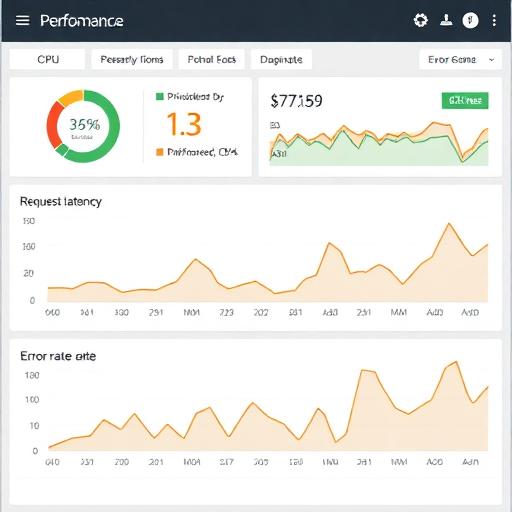
What to monitor on a VPS
- System: CPU, RAM, disk I/O, disk space, network throughput
- Application: request rate, latency (p95/p99), error rate, dependency health
- Security: SSH/RDP attempts, firewall blocks, suspicious traffic spikes
Logging strategy
- Centralize logs when possible (even a lightweight log forwarder helps)
- Structure logs (JSON) for search and correlation
- Set retention policies aligned with compliance requirements
Health checks for production readiness
- Liveness: confirms the app process is running
- Readiness: confirms dependencies like database/cache are reachable
- External monitoring: synthetic checks from Europe and USA locations
10) SSL, Security Headers, and Compliance Considerations (EU/US)
Customers and partners increasingly expect secure-by-default deployments. In regulated industries, security controls can also be contractual requirements.
Minimum HTTPS requirements
- TLS certificates: automated renewal and monitoring for expiry
- Redirect all HTTP to HTTPS
- Disable weak protocols/ciphers according to modern baselines
Security headers (typical baseline)
- HSTS (after validation)
- X-Content-Type-Options
- X-Frame-Options or frame-ancestors in CSP
- Content-Security-Policy (CSP) tailored to your front-end
GDPR and data handling considerations for Europe
- Data residency: host personal data in EU regions when required
- Access logging: treat logs as potentially sensitive
- Retention: align log and backup retention with policies
11) Docker Option: Containerized ASP.NET Core Hosting on a VPS
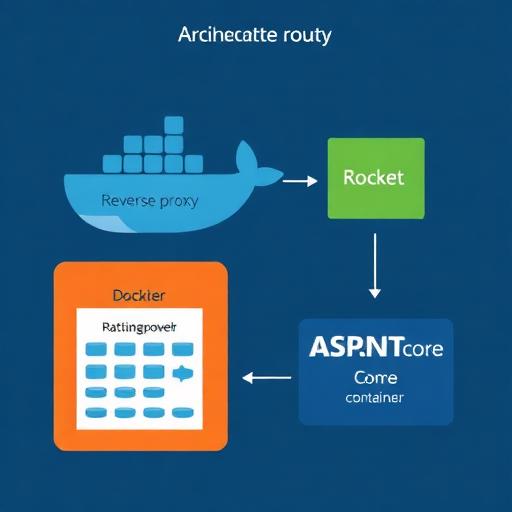
Many IT teams choose Docker on a VPS to standardize deployments across dev, staging, and production. It can also simplify rollbacks and dependency management.
When Docker on a VPS is a good fit
- Multiple services: app + worker + reverse proxy + Redis
- Consistent builds: same container runs everywhere
- Faster deployments: pull images and restart
Operational cautions
- Resource limits: set memory/CPU limits to avoid noisy neighbor issues on the same host
- Persistent storage: handle volumes correctly for uploads and data protection keys
- Secrets management: do not bake secrets into images
12) Common Pitfalls (and How to Avoid Them)
These issues repeatedly show up when configuring VPS hosting for ASP.NET Core. Fixing them early improves security and reliability.
Pitfall 1: Exposing the Kestrel port publicly
- Fix: bind Kestrel to localhost and only expose Nginx/IIS to the internet.
Pitfall 2: No automated certificate renewal monitoring
- Fix: enable auto-renewal and add an expiry alert (e.g., 30 days before).
Pitfall 3: Storing secrets in files or source control
- Fix: use environment variables, encrypted secrets, or a secret manager; restrict access.
Pitfall 4: No rollback plan
- Fix: keep versioned artifacts and implement blue/green folder deployment or image tags.
Pitfall 5: Under-sizing RAM and ignoring memory pressure
- Fix: monitor memory, GC behavior, and consider upgrading RAM before CPU.
Conclusion: A Production-Ready VPS Setup for ASP.NET Core
Configuring a VPS for ASP.NET Core hosting is a practical, scalable approach for organizations in Europe and the USA that need control, predictable costs, and strong performance. The most common production setups are Ubuntu + Nginx + Kestrel + systemd for cost-effective modern hosting, or Windows Server + IIS for teams standardized on Microsoft tooling.
The fastest path to a stable, secure deployment is to: harden the VPS, deploy via CI/CD, enable HTTPS, and implement monitoring and alerts. Once those foundations are in place, you can optimize for performance, introduce Docker for consistency, and scale using load balancers and managed databases.
Call to action: If you want a secure, production-grade VPS setup with best-practice hardening, automated deployments, and performance tuning for ASP.NET Core, contact our engineering team to plan and implement a hosting architecture tailored to your region (EU/US), compliance needs, and growth targets.