Introduction
For many organizations in Europe and the USA, a Virtual Private Server (VPS) is the sweet spot between shared hosting and full cloud platforms. It offers predictable costs, dedicated resources, and enough control to meet security and compliance expectations. If you run ASP.NET Core applications, a properly configured VPS can deliver excellent performance and reliability, whether you’re hosting a public marketing site, a customer portal, or an internal line-of-business application.
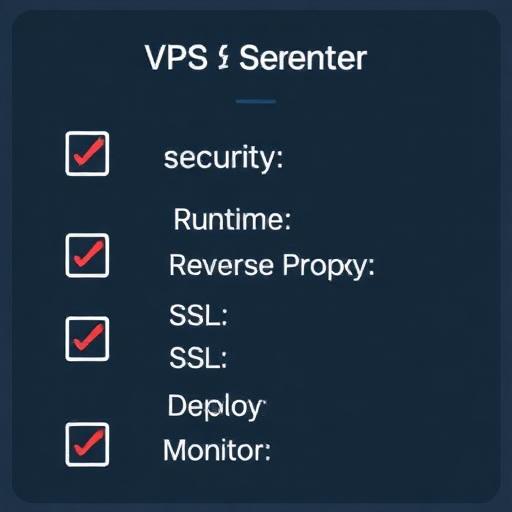
This guide explains how to configure a VPS for ASP.NET Core hosting and how to host a website on that VPS from end to end. It’s written for business decision-makers and IT professionals who need an implementation-ready plan that covers platform choices (Windows vs Linux), security hardening, deployment workflows, SSL/TLS, and operational best practices.
Why Host ASP.NET Core on a VPS (and When It Makes Sense)
Business and technical benefits
A VPS is a common choice for organizations that want more control than managed hosting and more predictable spend than fully managed cloud services.
- Cost control: Fixed monthly pricing is often easier to budget for SMBs and mid-market teams.
- Performance: Dedicated CPU/RAM allocations reduce “noisy neighbor” issues common in shared hosting.
- Flexibility: You can choose Windows Server + IIS or Linux + Nginx, install needed runtime dependencies, and customize security settings.
- Compliance alignment: You can select VPS regions in the EU or US for data residency requirements and adopt encryption, access control, and audit practices.
When you should consider alternatives
- If your application must autoscale aggressively and you want minimal server management, consider managed platforms (PaaS) or containers with orchestration.
- If you lack in-house sysadmin expertise, consider a managed VPS or a DevOps partner to reduce operational risk.
Pre-Configuration Planning (Decisions That Prevent Rework)
1) Choose your OS: Windows Server vs Linux (Ubuntu/Debian)
ASP.NET Core runs well on both. Your choice should reflect operational skills, legacy dependencies, and integration needs.
- Windows Server VPS + IIS: Best if you rely on Windows authentication, legacy .NET Framework apps on the same server, or your team is standardized on Microsoft admin tooling.
- Linux VPS (Ubuntu LTS) + Nginx: Often preferred for cost efficiency, automation-friendly workflows, and strong reverse proxy performance. Common choice for modern DevOps pipelines.
2) Size the VPS for your workload
Start with real usage expectations (traffic, CPU intensity, memory footprint, and concurrency). For many business sites and APIs:
- Entry production: 2 vCPU, 4–8 GB RAM, 60–120 GB SSD
- Moderate traffic: 4 vCPU, 8–16 GB RAM
- High traffic: 8+ vCPU, 16–32 GB RAM, consider load balancing and multiple nodes
Plan for overhead: OS updates, logging, monitoring agents, and reverse proxy caching all consume resources.
3) Decide your deployment model
- Framework-dependent deployment: Smaller builds, requires installing .NET runtime on the VPS.
- Self-contained deployment: Larger builds, includes runtime. Useful for strict version pinning.
- Single-file publish: Simplifies deployment artifacts in some cases.
4) Networking and DNS
Prepare domain details before you deploy:
- Confirm your DNS provider access.
- Decide whether you’ll use www and/or apex domain.
- Plan A/AAAA records to your VPS IP, and confirm TTL strategy for cutovers.
Step-by-Step: Configure a Linux VPS for ASP.NET Core Hosting (Recommended for Many Teams)
This section uses Ubuntu LTS as a reference because it’s widely adopted in Europe and the USA and has strong documentation for .NET hosting.
1) Provision the VPS in an EU or US region
Select a data center location close to your primary users (e.g., Frankfurt/London/Amsterdam for Europe; Virginia/Ohio/California for USA). Lower latency improves user experience and can help conversions for customer-facing sites.
2) Secure initial access (SSH hardening)
- Use SSH keys instead of passwords.
- Create a non-root user with sudo privileges.
- Disable root login over SSH.
- Change SSH defaults if your security policy requires it (optional, less critical than keys + firewall).
Operational note: Ensure you have an emergency access plan. Don’t lock yourself out during hardening.
3) Update OS packages and enable automatic security updates
Patch management is non-negotiable for internet-facing services. Keep a maintenance window and change management process for production.
- Apply system updates.
- Enable unattended security upgrades where appropriate.
- Reboot if kernel updates require it.
4) Configure the firewall (UFW or equivalent)
Allow only what you need:
- SSH (port 22 or your chosen port)
- HTTP (80)
- HTTPS (443)
Block everything else by default. If you need a database, keep it private (bind to localhost or private network) rather than exposing it publicly.
5) Install the .NET runtime (ASP.NET Core Hosting Bundle equivalent for Linux)
Install the .NET runtime version that matches your application (e.g., .NET 8 LTS). For long-term stability, align with LTS versions and track end-of-support dates. This is especially important for regulated industries and enterprise clients.
6) Create an application directory and service account
Run your web app as a restricted user rather than root.
- Create a dedicated user (no interactive login if policy requires).
- Set file permissions for the published app.
- Store secrets outside the repo and outside the web root.
7) Configure the ASP.NET Core app as a systemd service
For production reliability on Linux, you typically run Kestrel behind a reverse proxy and manage the process with systemd.
- Automatic restart: Ensures service recovery after crashes or reboots.
- Central logging: Integrates with journald and your monitoring stack.
- Least privilege: Runs under a non-root user.
Define environment variables carefully (ASPNETCORE_ENVIRONMENT, connection strings, third-party API keys). Use a secrets manager where feasible, or restrict permissions on environment files.
8) Install and configure Nginx as a reverse proxy
Nginx provides:
- TLS termination (HTTPS)
- HTTP/2 support
- Reverse proxying to Kestrel
- Compression and caching controls
- Static file optimization when needed
Create an Nginx server block for your domain that forwards requests to the local Kestrel port (commonly 5000/5001 or a custom high port).
9) Configure your domain DNS
At your DNS provider:
- Create an A record pointing example.com to your VPS IPv4 address.
- Create an A record for www.example.com to the same IP (or use CNAME to apex where appropriate).
- If you use IPv6, add AAAA records.
Allow time for DNS propagation. For business cutovers, schedule changes during low-traffic hours and keep TTL values reasonable.
10) Add SSL/TLS with Let’s Encrypt
For most organizations, Let’s Encrypt is a fast, reputable option for free TLS certificates.
- Use an ACME client (commonly Certbot) integrated with Nginx.
- Enable automatic renewal and monitor renewals.
- Force HTTPS and set secure ciphers according to modern guidelines.
Business note: If you require EV/OV certificates for compliance or customer trust signals, you can use a commercial CA. The deployment steps are similar, but issuance is more formal.
11) Verify hosting health and performance
- Confirm HTTPS works and redirects correctly.
- Check headers, compression, and response times.
- Validate logs for 4xx/5xx errors.
- Run basic load tests to confirm the VPS sizing.
Step-by-Step: Configure a Windows Server VPS for ASP.NET Core Hosting (IIS)
Windows Server is often chosen by enterprises with Microsoft-heavy environments or teams already standardized on IIS management and Windows security tooling.
1) Provision Windows Server in a US/EU region
Pick the closest region to your customers and align with data residency needs. Ensure you have a secure administrative access method (RDP with MFA via VPN or a bastion host where possible).
2) Patch and baseline the server
- Apply Windows Updates.
- Enable a scheduled patching cadence consistent with your change management policies.
- Restrict administrative access and audit login events.
3) Install IIS and required features
Enable:
- Web Server (IIS)
- ASP.NET Core Hosting Bundle (installs runtime and IIS integration)
- HTTP Redirect (optional)
- Request Filtering and basic security modules
4) Deploy your ASP.NET Core application
- Publish your app from your build pipeline or local environment.
- Copy artifacts to a secure folder (e.g., C:\inetpub\YourApp).
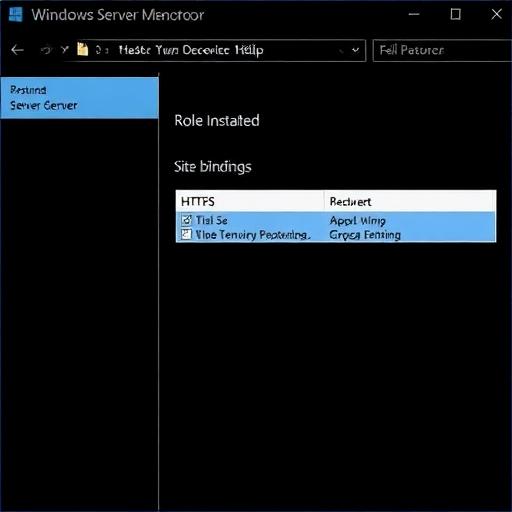
- Create an IIS Site and set bindings for domain and HTTPS.
- Configure the application pool (no .NET CLR required for ASP.NET Core, but identity and permissions matter).
5) Configure HTTPS
Install a certificate (Let’s Encrypt on Windows is possible via ACME clients, or use a commercial CA). Bind it to your site on port 443, and enforce HTTPS redirection.
6) Lock down RDP and firewall rules
- Allow inbound only for 80/443 publicly.
- Restrict RDP to a corporate IP range or VPN.
- Enable account lockout policies and consider Just-In-Time access.
How to Host Your Website on the Configured VPS (Deployment Options)
Option A: Manual deployment (fast for pilots, not ideal for long-term)
Manual deployment is acceptable for proofs of concept or low-change environments, but it can introduce human error.
- Publish the app (Release) to a folder.
- Upload via SCP/SFTP (Linux) or secure file transfer (Windows).
- Restart the service (systemd) or recycle the IIS site/app pool.
- Verify health endpoints and logs.
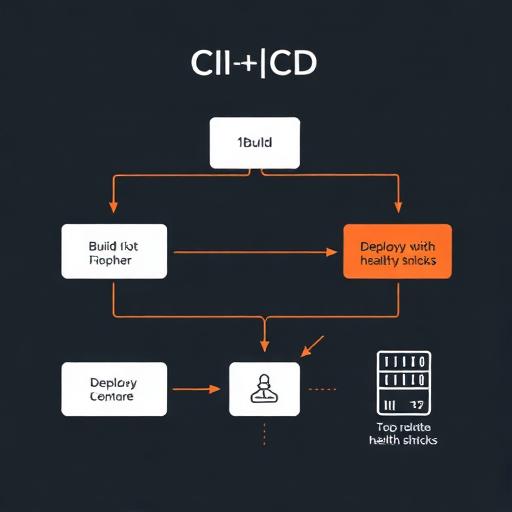
Option B: CI/CD deployment (recommended for production)
For most businesses, CI/CD is a high-impact upgrade: faster releases, better traceability, and fewer outages caused by inconsistent steps.
- Build pipeline: compile, test, scan dependencies, publish artifacts.
- Release pipeline: deploy to VPS, run migrations, restart app, verify health checks.
- Rollback plan: keep previous artifacts for quick revert.
Typical tooling includes GitHub Actions, GitLab CI, or Azure DevOps. The VPS is a stable target, while the pipeline ensures repeatable deployments.
Option C: Container-based hosting on a VPS (Docker)
Containers can simplify dependency management and improve portability across environments. This is a good fit if you already use Docker in development.
- Build a Docker image for the ASP.NET Core app.
- Run behind Nginx (either as host reverse proxy or as a container).
- Use docker-compose for multi-service setups (app + Redis + background worker).
For business stakeholders, containers often reduce environment drift and speed up onboarding. For IT, they add operational considerations (image updates, registry security, container logging).
Essential Security Hardening for ASP.NET Core VPS Hosting
1) Enforce HTTPS and secure headers
- Redirect HTTP to HTTPS.
- Enable HSTS (after validating correct HTTPS behavior).
- Set security headers such as X-Content-Type-Options, Referrer-Policy, and a suitable Content-Security-Policy (CSP) for your app.
2) Secrets management and configuration hygiene
- Do not store credentials in source control.
- Use environment variables or protected configuration files with strict permissions.
- Rotate secrets periodically and immediately after staff changes.
3) Database security
- Prefer private networking (or localhost) for database access.
- Use least-privilege database users.
- Enable backups and test restores.
4) Basic DDoS and bot mitigation
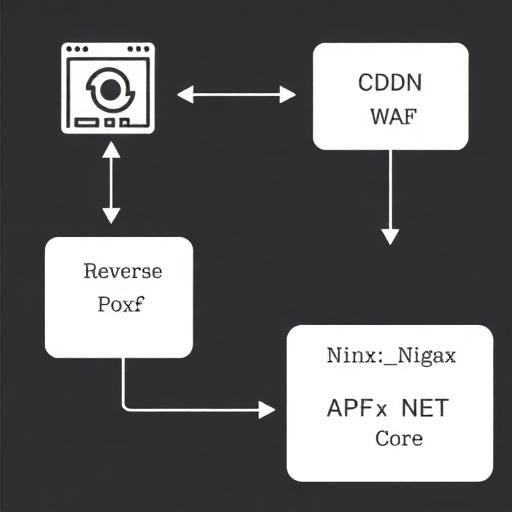
A VPS alone is not a full DDoS solution. For many organizations, pairing your VPS with a CDN/WAF is cost-effective and improves performance for global users.
- Use a WAF/CDN for caching and rate limiting.
- Enable Nginx rate limiting on sensitive endpoints (login, password reset).
- Monitor suspicious traffic patterns.
5) Regular patching and vulnerability scanning
- Keep OS, .NET runtime, Nginx/IIS updated.
- Scan NuGet dependencies for known CVEs.
- Log and alert on abnormal behavior.
Performance Optimization Best Practices (Europe + USA Audience Considerations)
1) Choose the right region and consider edge caching
Latency matters for conversions and usability. If you serve both Europe and the USA, consider:
- A VPS in the region with the majority of your users, plus a CDN for global acceleration.
- Or multi-region deployments for enterprise workloads (more complex, higher cost).
2) Optimize Nginx/IIS and ASP.NET Core settings
- Enable gzip or Brotli (where supported) for text assets.
- Cache static content with correct Cache-Control headers.
- Use ASP.NET Core response caching where appropriate.
- Ensure database connection pooling and timeouts are correctly configured.
3) Observability: logs, metrics, and tracing
For production reliability, you need visibility beyond “the server is running.”
- Application logging: structured logs with correlation IDs.
- Metrics: CPU, RAM, disk, network, request rates, error rates.
- Tracing: identify slow endpoints and dependency bottlenecks.
4) Health checks and uptime monitoring
- Add a health endpoint in ASP.NET Core.
- Monitor externally from both Europe and the USA if you have distributed users.
- Alert on latency and error thresholds, not just downtime.
Operational Reliability: Backups, Rollbacks, and Updates
1) Backups you can actually restore
- Database backups with retention policies.
- Configuration backups (excluding secrets where required).
- Infrastructure snapshots before major upgrades.
Test restores regularly. A backup that has never been tested is a business risk.
2) Rollback strategy
- Keep at least one previous release artifact.
- Version your database changes and plan backward-compatible migrations where feasible.
- Use feature flags for risky changes.
3) Maintenance windows and change control
Especially for B2B applications with SLAs, define:
- Maintenance schedules
- Approval workflows
- Incident response playbooks
Common Pitfalls When Hosting ASP.NET Core on a VPS
Misconfigured reverse proxy
- Forgetting to forward headers (X-Forwarded-For, X-Forwarded-Proto) can break HTTPS detection and redirects.
- Incorrect timeouts can cause 502/504 errors under load.
Skipping least privilege
- Running the app as root/admin increases blast radius in the event of compromise.
- Over-permissioned file and database access is a frequent issue.
No monitoring or alerting
- Many outages are detected by customers first due to lack of alerts.
- Resource exhaustion (disk full due to logs) is a common VPS failure mode.
Not planning for growth
- A single VPS is a single point of failure unless you add redundancy.
- When traffic grows, you may need vertical scaling, caching, or multiple app nodes behind a load balancer.
Scaling Beyond a Single VPS (When Your Business Outgrows the Initial Setup)
Vertical scaling
Increase CPU/RAM/SSD when you can’t keep up with load. This is simple but has upper limits and often requires a reboot.
Horizontal scaling
- Run multiple app servers behind a load balancer.
- Centralize sessions (or use stateless auth like JWT where appropriate).
- Use shared caching (Redis) and managed databases when possible.
Add CDN/WAF for global performance and security
A CDN reduces load on your VPS, improves page speed in Europe and the USA, and offers WAF features that can reduce attack surface.
Conclusion: A Practical Path to Secure, Fast ASP.NET Core VPS Hosting
Configuring a VPS for ASP.NET Core hosting is straightforward when you follow a production-ready checklist: choose the right OS and region, harden access, install the correct .NET runtime, set up a reliable reverse proxy (Nginx on Linux or IIS on Windows), enforce HTTPS, and implement monitoring, backups, and repeatable deployments. For business leaders, the VPS model offers predictable costs and control. For IT teams, it provides a stable foundation that can scale with clear next steps (CDN/WAF, load balancing, multi-node deployments).
Call to action: If your team wants a secure, compliant, and performance-optimized ASP.NET Core deployment for EU and US audiences, our software development and DevOps specialists can design the VPS architecture, automate CI/CD, configure SSL/WAF, and set up monitoring and backups. Contact us to review your requirements and get a tailored hosting plan that matches your uptime, security, and growth goals.